


1. Login via PuTTY using the Private Key
2. Enter command sudo su
3. enter the command nano /etc/ssh/sshd_config
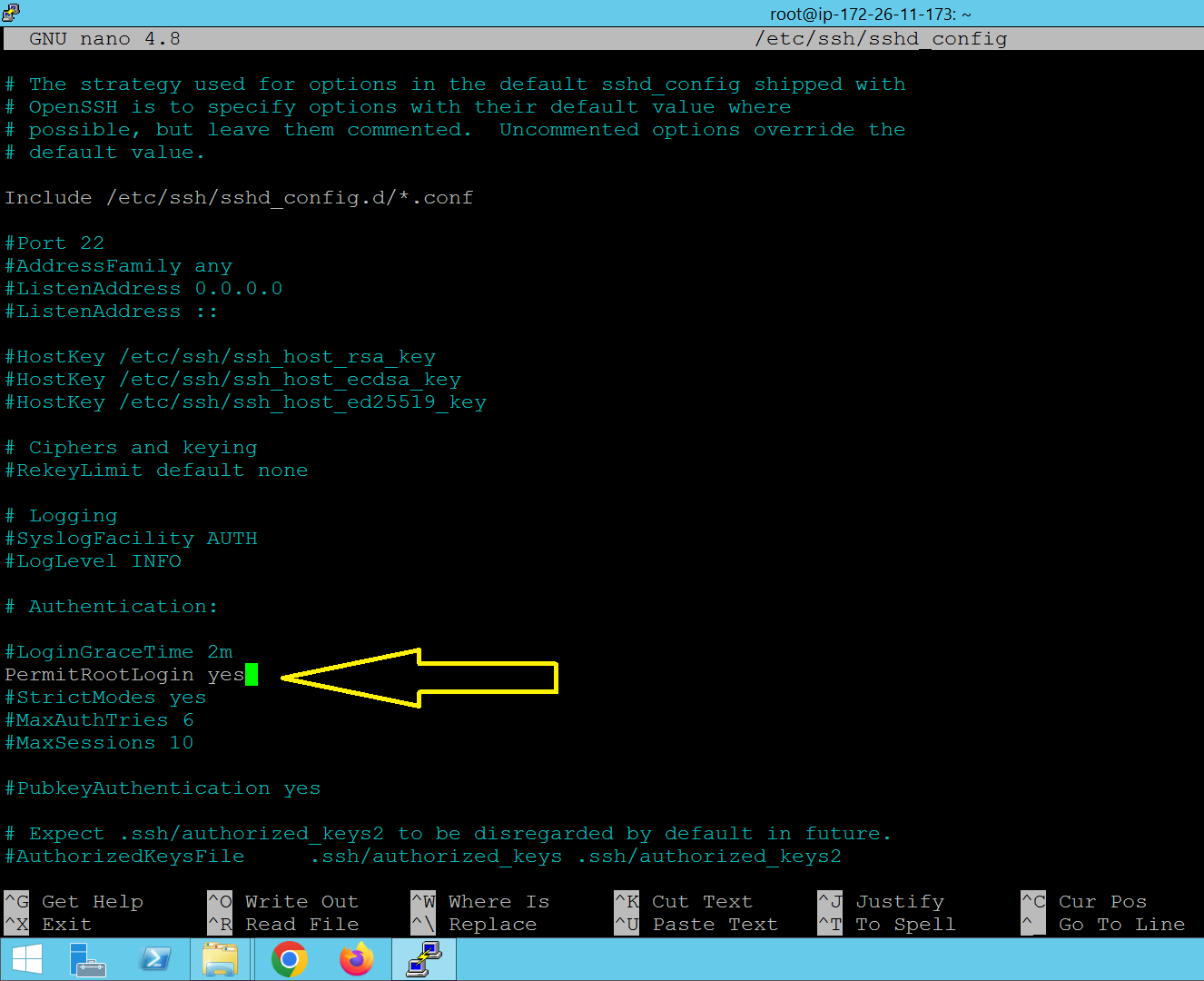
- Search and change
#PermitRootLogin prohibit-passwordto PermitRootLogin yes
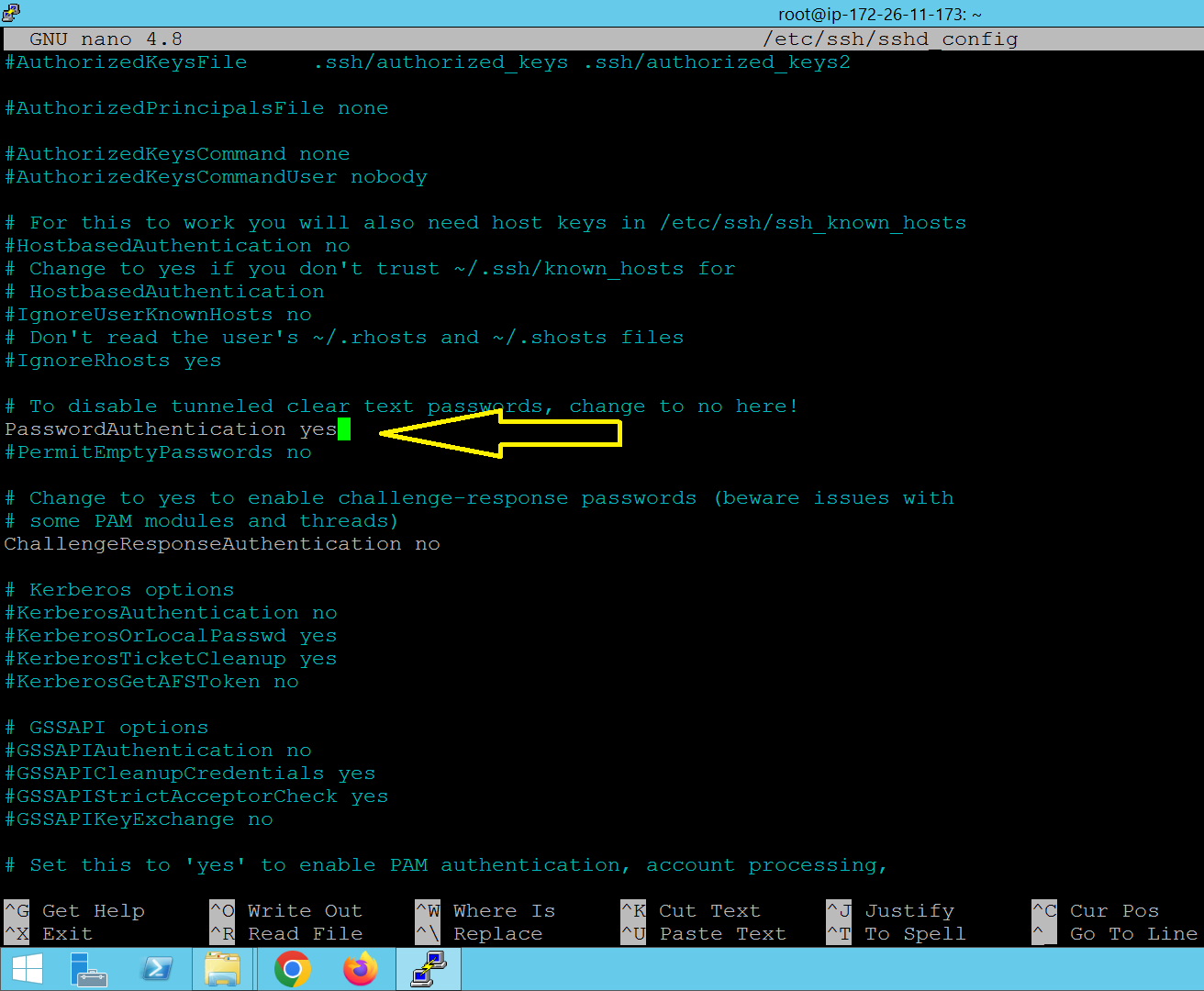
- Search and Change PasswordAuthentication no to PasswordAuthentication yes
4. Save by Pressing the button CTRL + X = Y + ENTER
5. Enter Command Code service sshd restart
6. Create a password by entering the command code passwd
7. Please login via PuTTY and by entering the root username and password that was created earlier